
Cronzy Watch capability
Not just what is wrong: how to fix it
Most tools stop at the finding. Cronzy Watch adds the next step: a remediation plan for each CVE and, for attacks your firewall let through, the exact commands to apply.
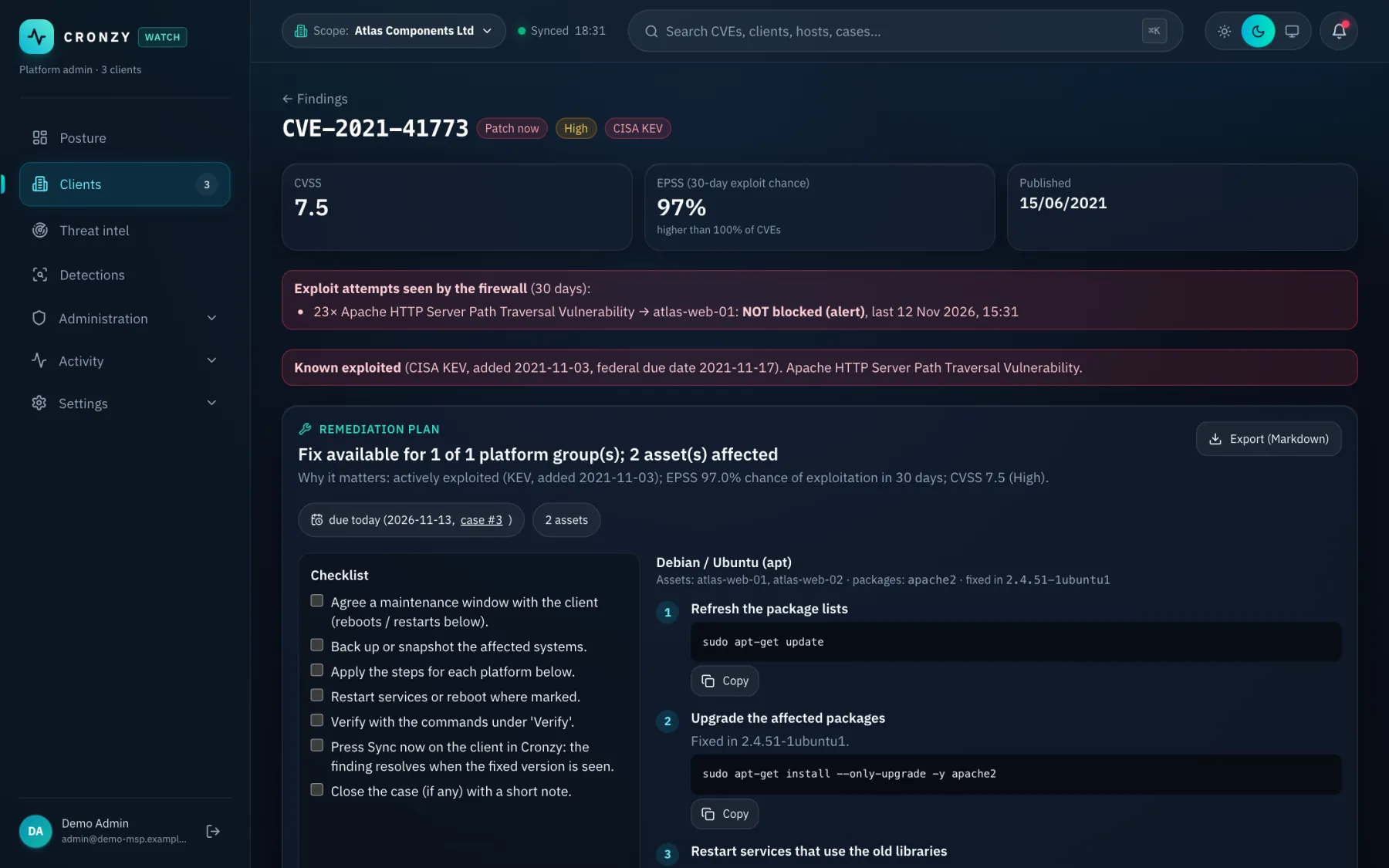
What you get
How to fix: remediation plans, in practice
A plan per CVE
The commands for each group of platforms, a checklist, the deadline, and the exploit attempts the firewall saw.
Firewall commands, one setting per line
For attacks that got through, Cronzy shows the Palo Alto CLI to close the gap, written so it can be pasted, with a verification step and a rollback.
Mark fixed, keep watching
When you mark a fix applied, Cronzy watches the case until it clears and reopens it if the attack comes back.
Hosts that cannot run an agent
Devices that cannot run an agent are tracked as such, so they are not forgotten and not counted as unmanaged noise.
How it works
From connected to done
- Open a CVE or a case from the ranked list.
- Read the plan: what to change, on which hosts, in what order.
- Apply it yourself. Cronzy never changes your systems to fix a finding.
- Mark it applied. Cronzy confirms the fix by watching the data.
Questions
Frequently asked questions
Does Cronzy apply the fixes for me?
No. It shows how to fix and checks the result. The only write actions are a short defined list, such as blocking an address, and they need a second person to approve.
Which platforms do the plans cover?
Plans are grouped by platform, for example Linux package updates and firewall configuration. The firewall commands are for Palo Alto PAN-OS.
Terms used on this page
Keep reading
Related capabilities
Vulnerability prioritisation
The list starts with what attackers actually use: CISA KEV and EPSS, not CVSS alone.
Palo Alto firewall security
Configuration checks, advisories, GlobalProtect and threat logs, turned into cases.
Response with four-eyes approval
Block an address or isolate a host. One person requests, another approves, all audited.
See it on a demo estate
Tell us about your environment and we will show Cronzy Watch with data that matches it.