
Cronzy Watch capability
One case instead of a hundred alerts
Security tools produce alerts one by one. Cronzy Watch correlates them into cases, so an attack on one host reads as a single story with a severity, a deadline and a timeline.
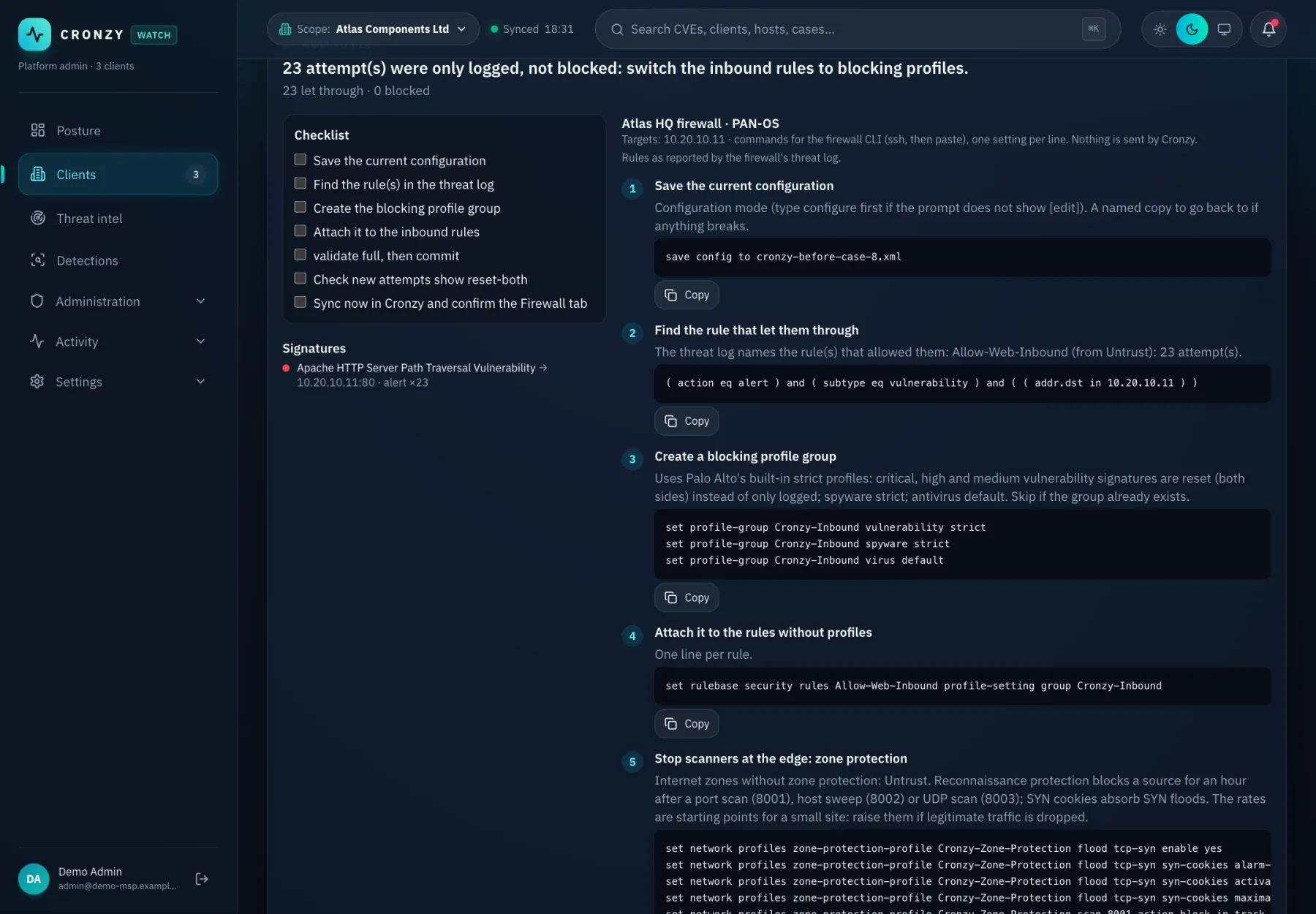
What you get
Attack correlation and cases, in practice
Cases, not alert lists
Related signals from the firewall, Wazuh and the built-in detections are grouped into one case per problem, with a timeline.
Scans weigh less than exploits
Port scans and probes add to the risk score but do not open a case on their own. A real exploit attempt that was not blocked does.
Deadlines that make sense
Each case gets a deadline by severity. Once you mark the fix applied the case stops counting as overdue, and it is watched until it clears. If it comes back, it reopens.
E-mail when it is critical
Critical cases are e-mailed to the people you choose. Everything else waits in the queue.
Detections you can read
A built-in pack of Sigma rules, plus import of your own. Detections feed the same cases as everything else.
How it works
From connected to done
- Events arrive from the firewall, Wazuh and the other sources and are stored per client.
- Detections and correlation rules turn them into signals, and signals into cases.
- You see severity, the affected assets, the timeline and what to do next.
- After the fix, Cronzy keeps watching and closes the case when the attack stops.
Questions
Frequently asked questions
What are Sigma rules?
Sigma is an open, readable format for detection rules. Cronzy includes a pack of rules and lets you import your own.
Will I get an e-mail for every alert?
No. Only critical cases are e-mailed. The rest is in the queue, ranked.
Terms used on this page
Keep reading
Related capabilities
How to fix: remediation plans
A plan per CVE and the exact firewall commands for attacks, ready to paste.
Palo Alto firewall security
Configuration checks, advisories, GlobalProtect and threat logs, turned into cases.
Response with four-eyes approval
Block an address or isolate a host. One person requests, another approves, all audited.
See it on a demo estate
Tell us about your environment and we will show Cronzy Watch with data that matches it.