Cronzy Watch capability
See what your Palo Alto firewall let through
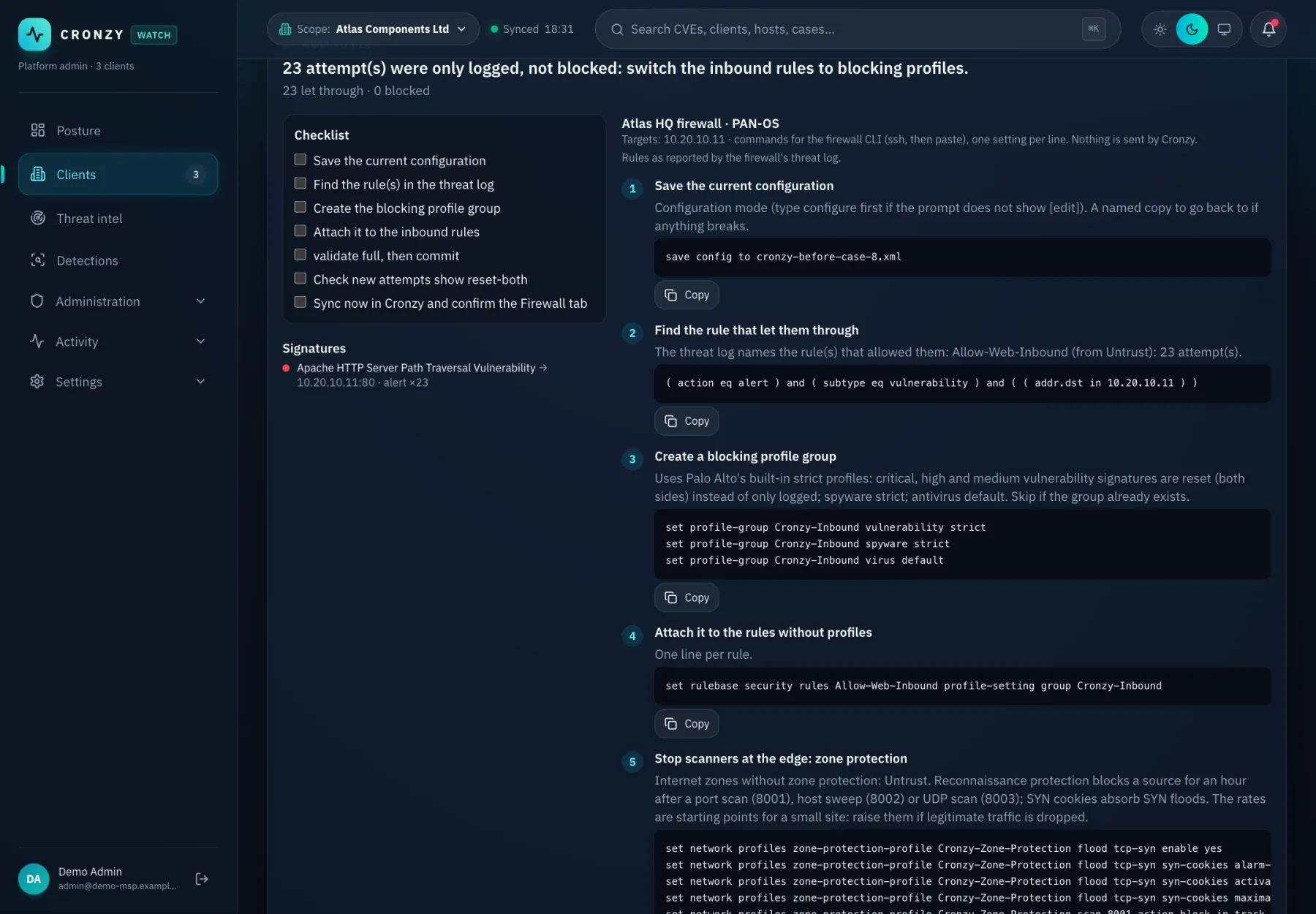
The firewall sees the attacks. Cronzy Watch reads its logs and configuration, finds the exploit attempts that were not blocked, ties them to the vulnerable asset behind it, and shows how to close the gap.
What you get
Palo Alto firewall security, in practice
Configuration checks
Cronzy checks the firewall configuration against a list of practices and shows what to change. You can accept a check that is intentional.
Advisories for your version
Security advisories are matched to the PAN-OS version running on your devices.
Threat and traffic logs
Threat logs and traffic logs become events. Exploit attempts that got through become cases; traffic to blocklisted addresses is detected.
GlobalProtect
GlobalProtect VPN activity is read, so you can see who connected.
The fix, in firewall language
The how-to-fix steps for an attack include the CLI commands, with verification and rollback.
How it works
From connected to done
- Connect the firewall, directly or through the site collector.
- Cronzy reads configuration, advisories and logs, read-only.
- Attacks the firewall did not block are matched to the vulnerable asset and ranked.
- You get the commands to close the gap, and an approval step if you want to block an address.
Questions
Frequently asked questions
Is the connection read-only?
Yes, by default. Blocking an address is the only firewall write action and it needs a second person to approve it.
Does it support other firewalls?
Today the firewall connector is for Palo Alto. Cisco and UniFi switches are supported for inventory and the network map.
Terms used on this page
Keep reading
Related capabilities
See it on a demo estate
Tell us about your environment and we will show Cronzy Watch with data that matches it.